In addition to the necessary bug fixes, this release includes the new features listed below.
AI Assistant in the Testersuite
Do you need help with any of the features in Testersuite, or do you have a question about, for example, a new feature? If so, you can now ask the Testersuite Assistant your question.
You may have already noticed it in the bottom-right corner of the help documentation. Use it to ask questions about using Testersuite. For each answer, the AI assistant also displays the sources from the help documentation, allowing you to quickly click through to the full context. If you notice anything unusual in one of the answers, please send your feedback totestersuite.
For now, the AI assistant is only available in the Dutch version of the help documentation; it will also be available in English in the future.
Administrator Portal: Changes to Settings
Due to a number of new settings, the “Settings” section in the administrator portal has been divided into three tabs (previously two):
- General – General Testersuite
- Security – All settings related to login and security
- SAML SSO – The tab you're already familiar with, containing all your SSO settings

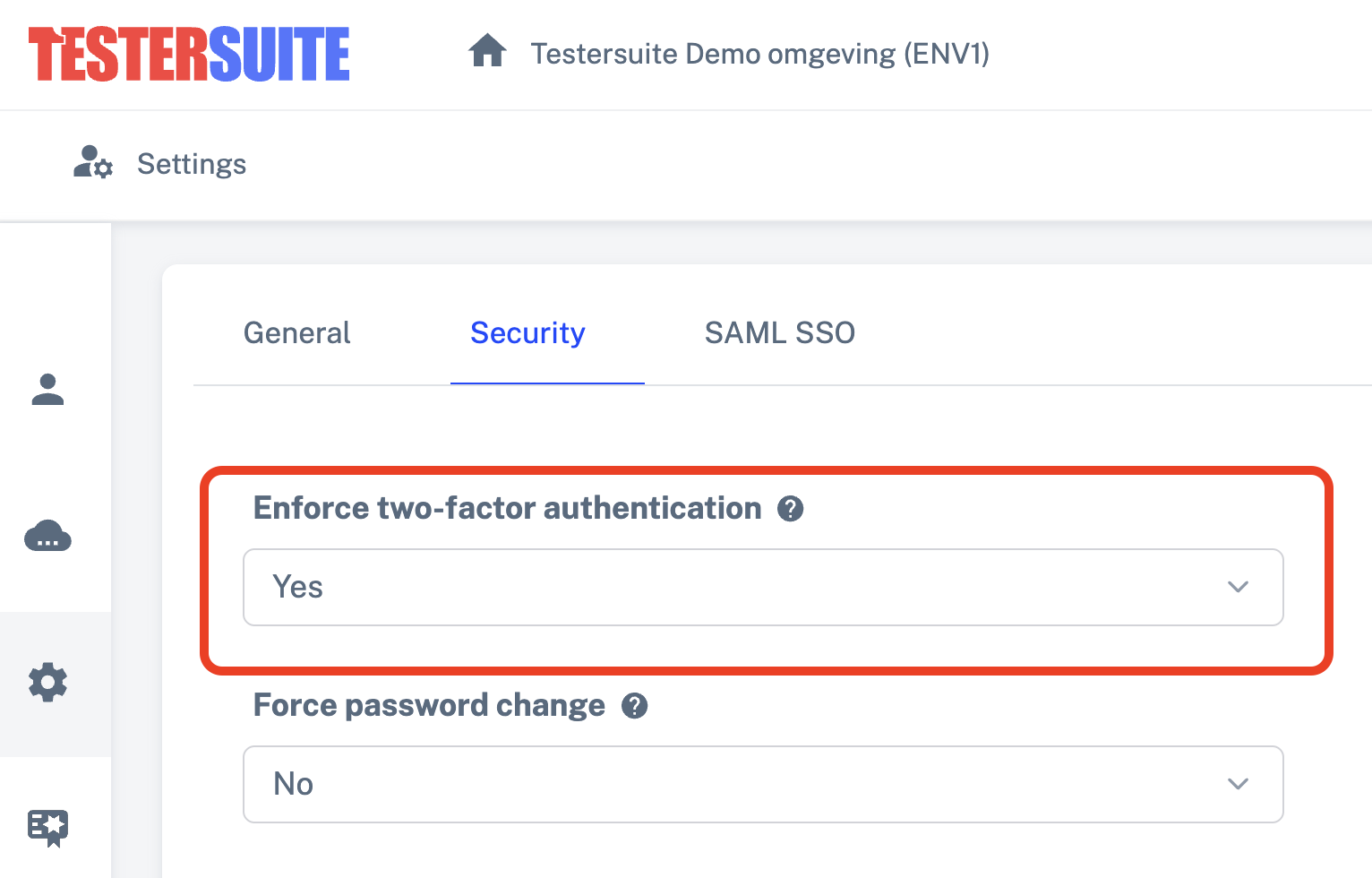
Enforce two-factor authentication (2FA) for all users
One of the new settings in the “Security” tab of the administrator portal is the “Enforce two-factor authentication” setting. This allows you to require all Testersuite to use 2FA.
- An administrator enables the “Enforce two-step verification” setting in the administrator portal.
- This will enable the “Email” 2FA method for all current and new Testersuite . After logging in with their username and password, users will receive an email containing a 6-digit code that they must use to confirm their login.
- Users can then go to their user settings to enable a different 2FA method (Authenticator app) and disable the email method.
- At least one form of 2FA must always be enabled for every user.
- SSO logins do not go through Testersuite , so they will not be affected by this setting.
You can find this new setting here:
Jira Integration: Secret in Webhooks
To synchronize information from Jira to Testersuite , our Jira integration Testersuite webhooks in Jira. Jira allows you to secure each webhook using a so-called “secret.” Testersuite added this feature to the integration. We will require the use of this secret effective January 1, 2027. You can read exactly how this works below under the heading “Create a webhook in Jira.”